
Self-Service Kiosk (KIOSK)
Contactless, fast, high conversion - let customers easily place orders themselves
Lucky POS Self-Service Kiosk helps customers complete ordering → payment → receipt/ticket directly without staff involvement, reducing queue pressure. It supports multiple screen sizes and appearance customization, adapting to different restaurant scenarios.
Core Features
Comprehensive self-service ordering solution
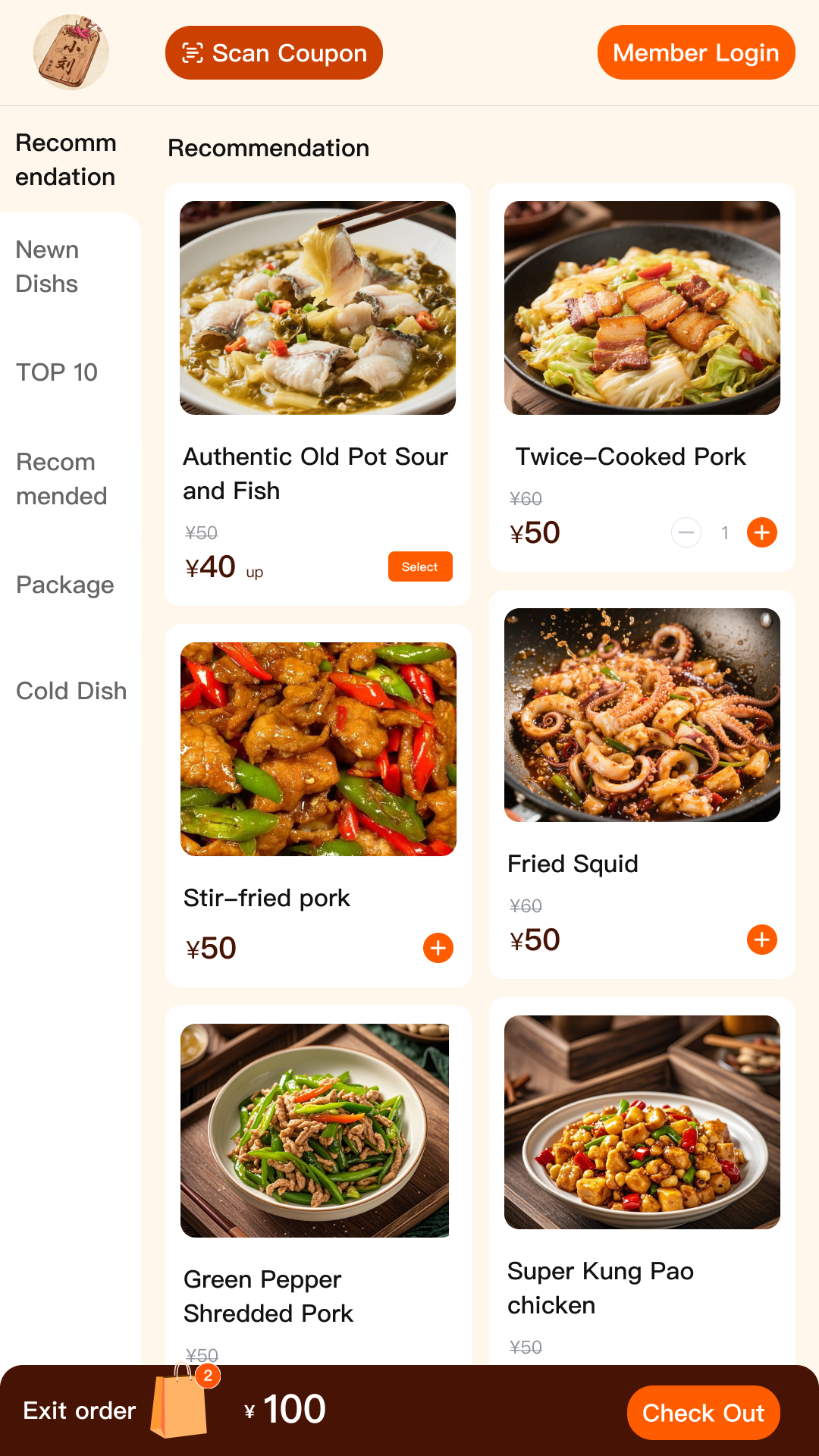
Touch Menu with Large Images
HD large screen, clear categories
Customers quickly select dishes through images and categories, with search and recommendation support. Intuitive interface design makes ordering simple and fast.
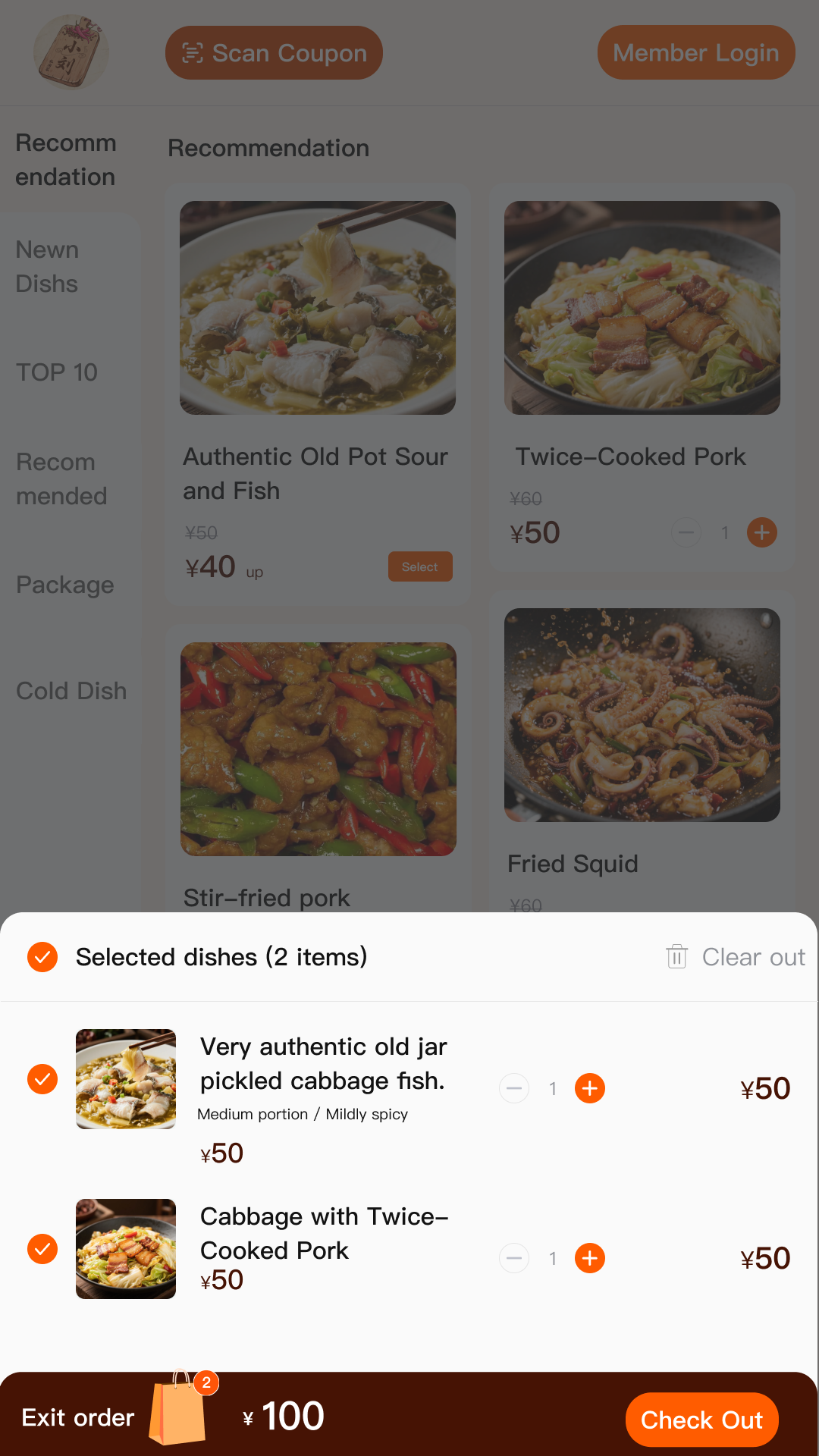
One-Click Shopping Cart
What you see is what you click, modify anytime
Supports adding multiple dishes, quantity modification, and deletion. Shopping cart displays total price in real-time. Let customers easily manage order contents.
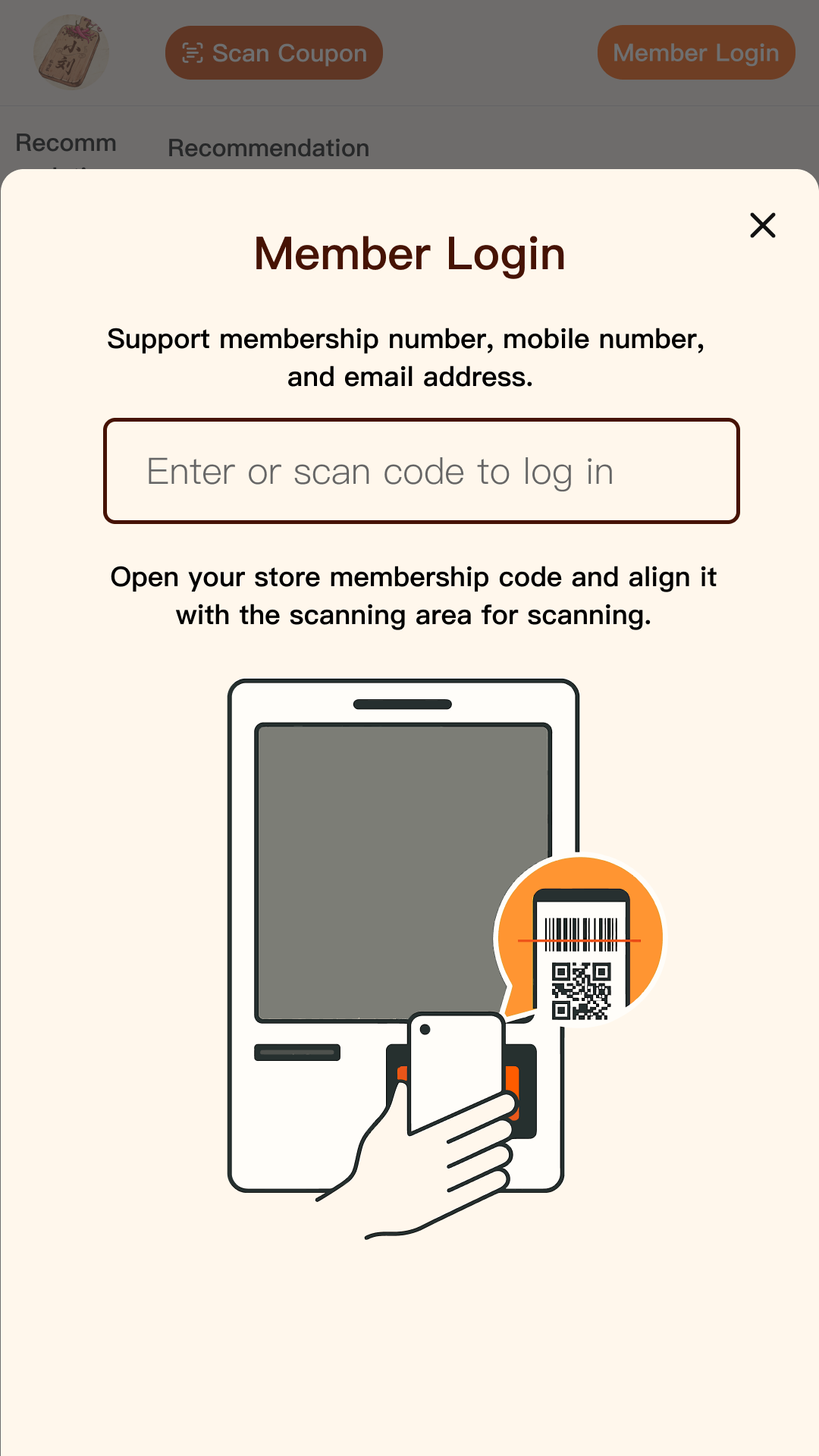
Member QR Code Recognition
Scan to enjoy discounts
Customers can identify member status by scanning QR codes, automatically using points or coupons. Enhance member experience and loyalty.
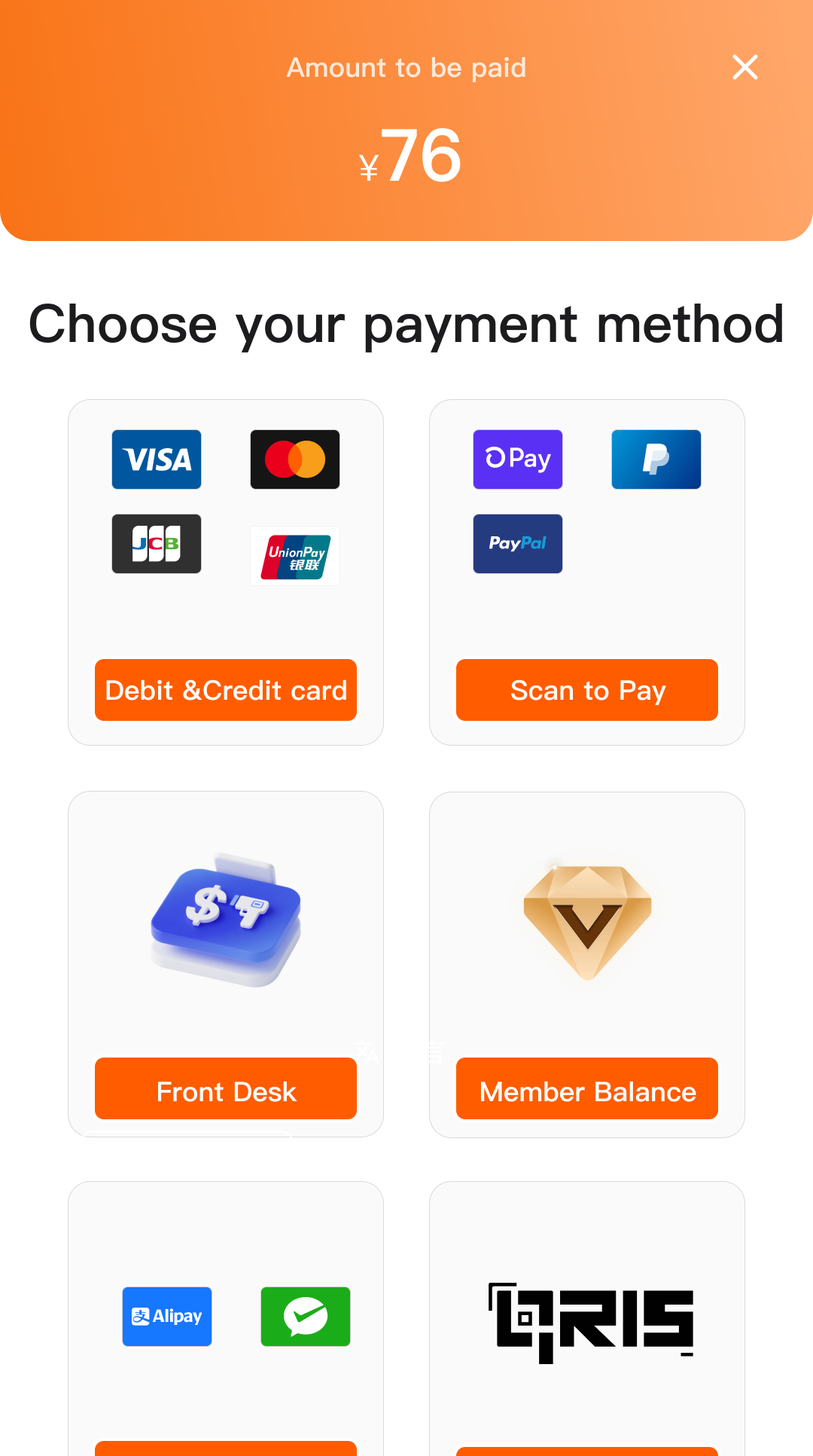
Multiple Payment Methods Integration
QR code/Bank card/Member balance
Supports local payment methods, automatic reconciliation, clear fund flow. Meet different customers' payment preferences.
*Electronic payment methods shown in the image are for display only. Actual payment options depend on local payment service provider integration
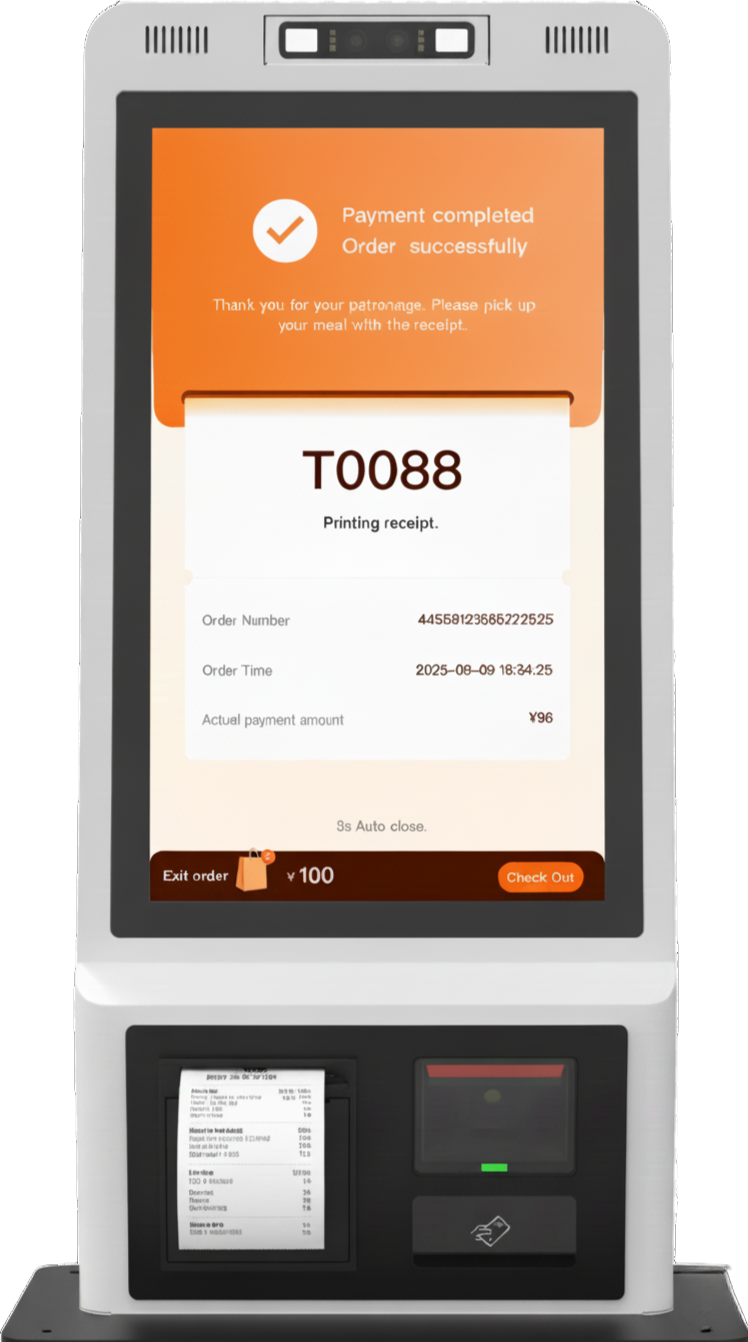
Receipt & Electronic Receipt
Print + Push dual guarantee
Order number receipts can be used for pickup, electronic receipts can be pushed via SMS/WeChat. Ensure customers won't lose order information.
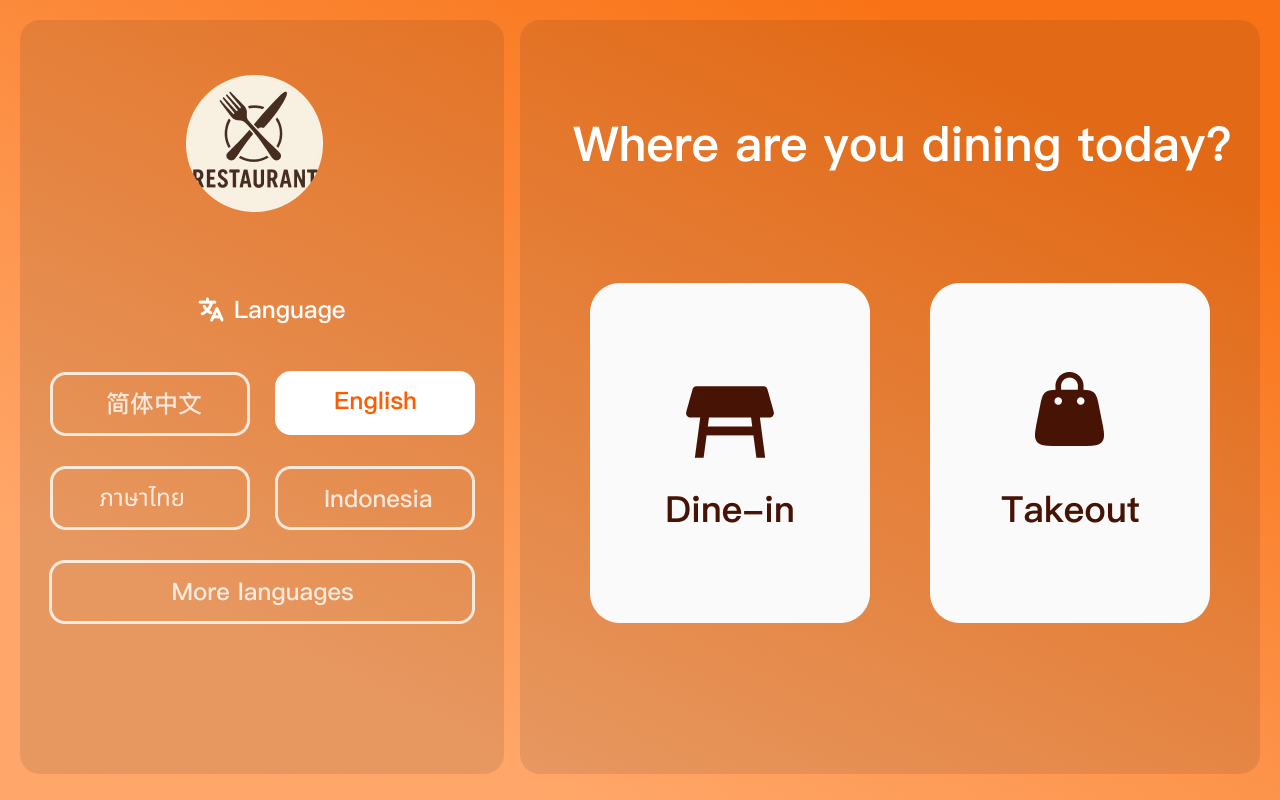
Portrait & Landscape Mode
Adapt to multiple scenario placements
Supports portrait (space-saving) and landscape (display more content) modes. Flexibly adapt to different store layout needs.
*For more feature inquiries, please contact technical support. Some features are continuously being optimized, actual experience is subject to the latest version
Transaction Process
Simple 5 steps, easy ordering
Select
Browse menu selection
Add to Cart
Add to shopping cart
Confirm Order
Review order details
Payment
QR code/Card payment
Receipt/Number
Sync to KDS
Multiple Device Options
Meet different scenario needs
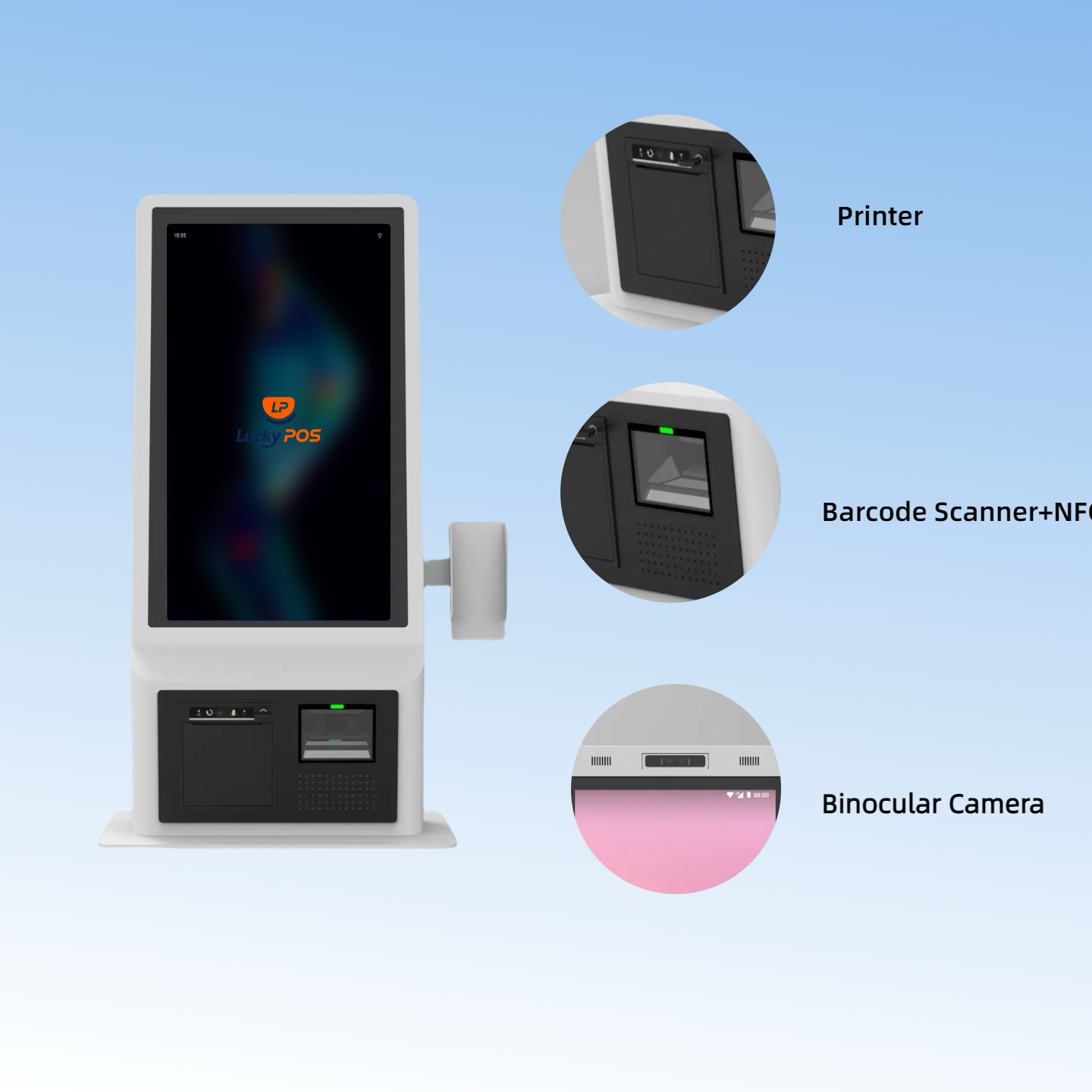
21.5″ Desktop Version
Placed on desktop, relatively easy to move, suitable for flexible layout scenarios
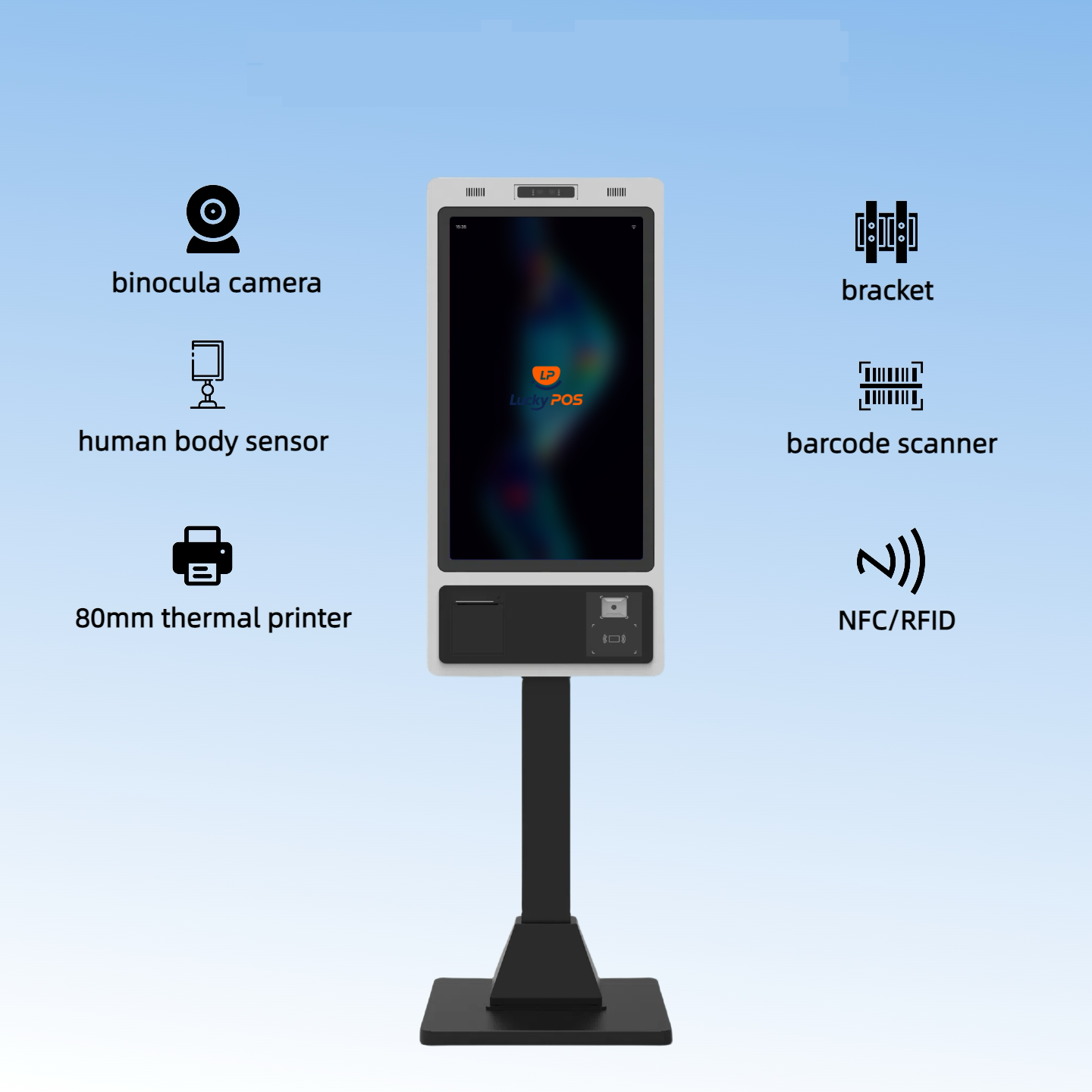
32″ Floor Standing
Floor-standing design, large screen display, suitable for fixed positions like lobbies
Scenario Examples
Suitable for various restaurant scenarios


Value Demonstration
Actual benefits brought by Lucky POS KIOSK to restaurants
Frequently Asked Questions
Common questions and answers about KIOSK Self-Service Kiosk